
Pricing a handmade product should be more thoughtful than adding up the yarn, multiplying it by three, and hoping there’s enough money left to keep the lights on.
That kind of shortcut may give you a number. It does not necessarily tell you what the product actually cost to make, whether you paid yourself for your time, whether the price contributes anything toward business overhead, or whether the product could ever support wholesale.
And it definitely does not help when one item uses part of six different skeins, a handful of stuffing, two safety eyes, a button, a product tag, and approximately seventeen years of your life.
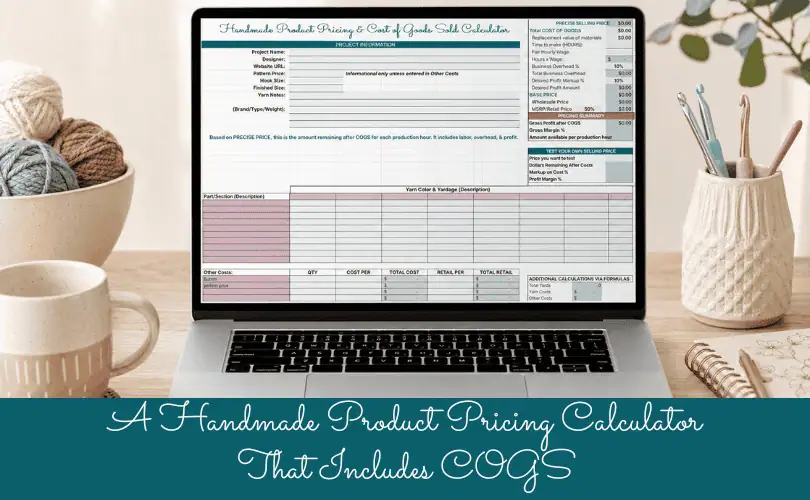
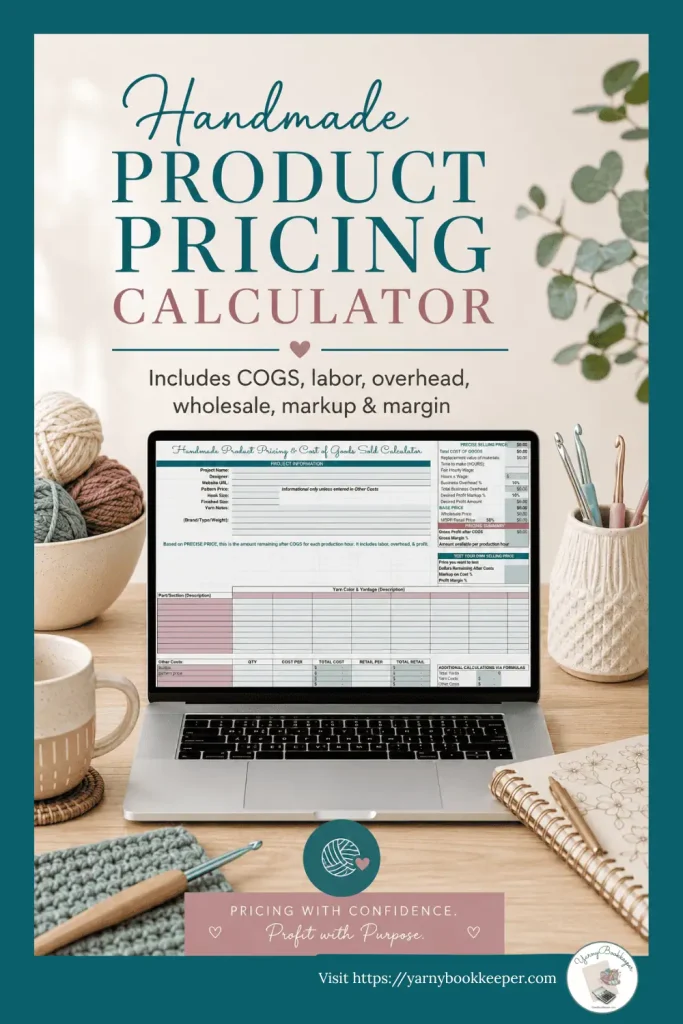
That is why I created the Handmade Product Pricing & Cost of Goods Sold Calculator.
This free calculator helps you work through the numbers behind one handmade product so you can make a pricing decision based on actual information—not vibes, guesses, or whatever multiplier somebody tossed into a Facebook comment five years ago.text
What this handmade product pricing calculator does
The calculator helps you calculate and compare:
- Actual Cost of Goods Sold
- Current replacement value of materials
- Production time and fair hourly labor
- Business overhead
- Desired profit
- Wholesale price
- Suggested retail price or MSRP
- Retailer gross margin
- Markup on cost
- Profit margin
- The price you are actually considering charging
It also shows what happens when the selling price you want to charge does not fully cover materials, labor, and overhead.
Because sometimes the most useful answer a spreadsheet can give you is:
“Nope. That price is not going to work.”
A little rude, perhaps. But useful.

Actual COGS and pricing are not the same calculation
This is one of the biggest differences between this calculator and many quick handmade pricing tools.
Your actual Cost of Goods Sold, or COGS, is based on what you actually paid for the materials used in the product.
Suppose you bought a skein of yarn for $5 and used half of it. The actual yarn cost in that finished product is $2.50.
That amount matters for your inventory records, bookkeeping, and financial reports.
But what if replacing that same yarn today would cost $8?
If you continue pricing future products around the old $5 purchase price, you may not collect enough money to replace the yarn when your current inventory runs out.
That is why the calculator tracks two separate material values:
Actual material cost
This is based on what you paid and the amount used. It becomes part of COGS when the product sells.
Current replacement value
This is based on what the materials would cost to replace today. It is used when building the suggested product price.
Your bookkeeping needs the actual cost.
Your pricing decision may need the replacement value.
They are related, but they are not interchangeable.
It calculates the materials actually used
Many pricing calculators ask you to enter one general materials number.
That can work when the product uses a simple, predictable set of supplies. It becomes less helpful when you are working with partial skeins, several colors, different product sections, or materials purchased at different prices.
The Landscape version of this calculator gives you space for up to eight yarn colors and multiple product parts or sections. The Portrait version offers a more compact layout with space for up to six colors.
You can enter the quantity used for each part of the product and calculate the cost per yard, ounce, or gram.
The calculator then uses:
Quantity used × actual cost per unit
to calculate actual yarn COGS.
It separately uses:
Quantity used × current replacement price per unit
to calculate the material value used for pricing.
You can also add other direct product costs such as:
- Stuffing
- Safety eyes
- Buttons
- Zippers
- Labels
- Product tags
- Embellishments
- Packaging used for that item
- Other components included in the finished product
This gives you a much clearer picture than entering “supplies: probably around seven dollars.”
Labor, overhead, and profit are separate
Labor is not profit.
Overhead is not profit.
And profit is not simply whatever happens to remain in your bank account after you buy more yarn.
The calculator treats these as separate parts of the price.
Labor
Enter the number of hours required to make the product and the fair hourly wage you want to earn.
Your labor amount compensates you for doing the production work.
Business overhead
Enter a Business Overhead percentage so the product contributes toward expenses that cannot be traced neatly to one particular item.
That may include website costs, software, insurance, advertising, equipment, office supplies, booth expenses, and the rest of the unsexy stuff involved in running a business.
Desired profit
Enter a separate Desired Profit Markup percentage.
Profit compensates the business owner for investing money, taking risks, developing products, and keeping the business moving forward.
You may be both the maker and the owner, but those are still two different jobs.
Wholesale pricing that leaves room for the retailer
Some calculators create wholesale and retail prices by applying two unrelated markups.
That can produce a wholesale price and a retail price that look perfectly official while leaving the retailer with very little margin.
This calculator works backward from the retailer’s required gross margin.
First, it calculates the amount your business needs to receive. That becomes the Wholesale Price.
The calculator then uses the Retailer Margin percentage to calculate the suggested MSRP.
With the default 50% retailer margin, the MSRP is twice the Wholesale Price.
This does not guarantee every product will work for wholesale.
In fact, the calculator may reveal that the retail price needed to support both your business and the retailer is higher than customers are willing to pay.
That is not a calculator failure.
That is useful information about the product, the production time, the materials, or the wholesale plan.
Test the price you actually want to charge
Pricing formulas are helpful, but they do not get the final vote.
You may decide that the suggested price of $45.98 needs to become $46. You may want to test $42, $39, or the $32 price that has been living rent-free in your head.
The Test Your Own Selling Price section lets you enter any price you are considering.
It then calculates:
Dollars remaining after costs
This is the tested selling price minus replacement-value materials, labor, and overhead.
If the result is positive, that amount remains for business profit.
If the result is negative, the calculator shows the shortfall.
Markup on cost
Markup compares the dollars remaining with the underlying product cost.
Profit margin
Margin compares the dollars remaining with the final selling price.
Markup and margin describe the same pricing result from two different directions, which is why the percentages are not the same.
For example, if a product costs $20 and sells for $30, there is $10 remaining after cost.
The markup is 50% because $10 is 50% of the $20 cost.
The margin is 33.33% because $10 is 33.33% of the $30 selling price.
Same product. Same $10. Different percentages.
Visual pricing charts
The calculator includes two charts that update as you enter your numbers.
How Your Tested Price Breaks Down
This chart compares:
- Replacement value of materials
- Labor
- Business overhead
- Dollars remaining after costs
When the tested price is too low, the remaining amount becomes a negative shortfall.
Compare Your Pricing Options
This chart compares:
- Wholesale Price
- Suggested MSRP
- The selling price you are considering
It gives you a quick visual check when your preferred price is sitting below wholesale or far below the suggested retail price.
Sometimes the bars make the problem much easier to see than another row of numbers.
How this calculator differs from quick pricing calculators
Quick calculators can be useful when you need a fast estimate.
This calculator is meant for makers who want to understand what is happening underneath that estimate.
| A typical quick calculator may… | This calculator… |
|---|---|
| Ask for one total materials number | Calculates the quantity of each material actually used |
| Use the amount paid for pricing | Separates actual cost from current replacement value |
| Combine overhead and profit | Calculates overhead and desired profit separately |
| Apply unrelated wholesale and retail markups | Calculates MSRP using the retailer’s required margin |
| Show a suggested selling price | Also lets you test the price you actually want to charge |
| Show markup or margin | Shows dollars remaining, markup, margin, and shortfall |
| Focus only on pricing | Connects product pricing with inventory and COGS |
| Use one generic layout | Includes Landscape and Portrait versions |
| Leave formula cells exposed | Protects formula cells to help prevent accidental edits |
It takes a little more information to use than a three-box online calculator.
That is because handmade products frequently contain more than three boxes’ worth of financial weirdness.
Who this calculator is for
The Handmade Product Pricing & COGS Calculator is especially useful for:
- Crochet and knit product sellers
- Amigurumi makers
- Makers working with several yarn colors
- Handmade businesses using partial quantities of materials
- Sellers who want to calculate labor instead of ignoring it
- Makers considering wholesale
- Business owners who want to understand markup and margin
- Anyone tired of pricing products with materials-times-something formulas
You do not need an accounting degree.
You do need reasonably accurate information about the materials and time used in the product.
The calculator will handle the arithmetic. Sadly, it still cannot weigh the mystery handful of stuffing for you.
What the calculator cannot decide
No spreadsheet can tell you exactly what customers will pay.
This calculator cannot guarantee that every product will be profitable, wholesale-ready, or attractive to your market.
It cannot replace complete inventory records or bookkeeping.
What it can do is show you:
- What the product actually cost
- What replacing the materials may cost
- What your production labor is worth
- What the product needs to contribute toward overhead
- How much profit you want to build into the price
- Whether the tested selling price covers those amounts
- Whether the product can support a retailer’s margin
You still make the pricing decision.
But at least you are no longer making it while blindfolded and clutching a calculator somebody told you to multiply by three.
Pricing Is Only One Piece of the Profit Puzzle
Knowing what your handmade products actually cost to make — and what you need to charge for them — is a big step toward understanding your profits.
But even when your pricing looks good on paper, other things can eat away at what you’re actually keeping. Selling fees, discounts, unexpected expenses, and everyday business decisions can all affect how much money is left after the sale.
That’s what we explore in my How to Spot Profit Leaks in Your Handmade Business training. We’ll look beyond individual product pricing to help you identify other places money might be slipping away and figure out what deserves a closer look before deciding you just need to sell more.
Take a Closer Look at the Profit Leaks Training →
Get the free Handmade Product Pricing & COGS Calculator
The calculator is available in both Excel and Google Sheets and includes:
- Landscape and Portrait layouts
- Protected formulas
- Start Here instructions
- A step-by-step video walkthrough
- Actual COGS calculations
- Replacement-value pricing
- Labor, overhead, and desired profit
- Wholesale and MSRP calculations
- A custom selling-price tester
- Markup and margin calculations
- Visual pricing charts
Use it when you are tired of guessing at prices and want a clearer look at what your handmade products actually cost to make.

Frequently Asked Questions About Handmade Product Pricing Calculators
What should a handmade product pricing calculator include?
A useful handmade pricing calculator should include direct materials, labor, business overhead, and profit. It should also help you understand the difference between the actual cost of materials and the amount needed to replace those materials.
How do I calculate COGS for one handmade product?
Calculate the quantity of each material used and multiply it by the actual cost per unit. Add the other direct materials included in the finished product. That amount becomes COGS when the product is sold.
Is markup the same as profit margin?
No. Markup compares the dollars remaining after costs with the product cost. Margin compares those dollars with the selling price.
Can this calculator help with wholesale pricing?
Yes. It calculates the amount your business needs to receive as the Wholesale Price, then calculates an MSRP based on the retailer’s desired gross margin.
Does the calculator work in Google Sheets and Excel?
Yes. There are Excel and Google Sheets versions, with Landscape and Portrait layouts available in both.
NOTE:

If you'd rather be working with yarn, fabric, paint, or clay than trying to figure out what the heck is going on with your business money, you're in the right place.
I help makers understand what’s happening with their money—and what those numbers actually mean for their business. Because handmade business bookkeeping goes beyond simply tracking what came in and what went out.
You don’t need to become a bookkeeper or run out and get an accounting degree. You just need to understand enough to make better decisions about your business without all the accountant-speak.
👉 Want help figuring out your bookkeeping (without overcomplicating it)? Join the Free Handmade Business Bookkeeping community.
I am a coach/educator, not your bookkeeper or CPA. This information is for educational purposes, not financial or tax advice.
Full Disclosure - How I use AI
I use AI to create some blog images because it does a much better job of producing maker-specific images than I can usually find after hours of searching.
The ideas, teaching, and writing in my blog posts are mine. I use AI as an editing partner to help me check clarity, rein in my tendency to get too wordy, and occasionally keep me from wandering off on a tangent.
- Black Friday Shopping Plan: 8 Steps for Your Handmade Business - November 2, 2026
- Is Profit Leaking Out of Your Handmade Business?Here’s Four Warning Signs - October 21, 2026
- Are Discounts Hurting Your Handmade Business? - October 16, 2026




[…] Handmade Product Pricing + COGS Calculator – See what your products actually cost to make and use your real numbers to make better pricing decisions. […]