
This post was originally published July 14, 2020 and has been updated to reflect current bookkeeping software options and features.
Choosing a bookkeeping system for your handmade business can feel like one more thing you’re somehow supposed to already know how to do.
Then you start searching for bookkeeping software and find dozens of lists telling you which programs are “best,” “easy,” or “free.”
The problem is that most of those lists are written for small businesses in general.
Handmade businesses can have a few extra bookkeeping wrinkles.
You may be buying materials that become finished products, keeping materials and finished-item inventory, selling through several different places, paying Etsy or payment-processing fees, collecting sales tax, doing craft fairs, or selling patterns along with physical products.
So before you choose bookkeeping software simply because it’s free, there’s a more important question:
What does your handmade business actually need the bookkeeping system to tell you?
That matters a whole lot more than the $0 price tag.
Free bookkeeping software can work — if it fits your business
I’m not against free bookkeeping software.
And I’m not against spreadsheets, either.
Either one can work if it captures the information you need and you actually keep it updated.
The goal isn’t to find the fanciest system. Your bookkeeping should help you understand things like:
- how much money is coming in
- where that money is going
- what it costs to make what you sell
- how much selling and payment fees are costing you
- whether you’re actually making a profit
You don’t need every bookkeeping feature under the sun.
But you do need enough information to understand what’s happening with your business money.
Before you choose, think about what you need
A pattern designer selling digital downloads may need a pretty simple bookkeeping system.
Someone selling finished products through Etsy, their own website, wholesale accounts and craft fairs may need quite a bit more.
Depending on your business, you may need to track:
- income and expenses
- bank and credit-card transactions
- Profit & Loss and Balance Sheet reports
- sales tax
- selling and payment fees
- materials inventory
- finished-item inventory
- Cost of Goods Sold
- multiple sales channels
Your bookkeeping software doesn’t necessarily have to do all of those things itself.
You might use one program for bookkeeping and a separate spreadsheet or inventory system.
That’s perfectly fine.
What matters is knowing where the information lives and how the pieces work together.
And what does “free” really mean?
This is where things can get a little sneaky.
“Free bookkeeping software” might mean:
- permanently free basic bookkeeping
- free while your business stays under a revenue limit
- free desktop software, but paid cloud access
- free bookkeeping with some automated features reserved for paid plans
- free accounting, but inventory costs extra
- free software you have to install and maintain yourself
None of those automatically makes a program bad.
Just make sure you know what you’re getting before moving your bookkeeping into it.
Free bookkeeping software worth looking at
I’ve narrowed this down to programs that currently have some kind of legitimate free option.
These are not affiliate links, and I haven’t personally used every program listed here. I’m not going to pretend that reading a software company’s feature page makes me an expert user.
What I can do is point out the things that may matter specifically to a handmade business owner.
Wave
Wave has a free Starter plan and is one of the simpler cloud-based options.
It can work well for basic bookkeeping and invoicing. Some of the automated features, including automatic bank transaction imports, are part of the paid Pro plan. Wave
The big handmade-business limitation is inventory. If you need to keep track of materials and finished products, you’ll probably need to handle that somewhere else.
Probably better suited to: pattern designers, service-based creatives or makers with very simple inventory needs.
QuickBooks Free
QuickBooks now offers a permanent free plan for very small solo businesses.
It handles basic income and expense tracking and standard financial reporting.
I would not choose the free version specifically for a handmade product business that needs detailed materials inventory, finished-item inventory and Cost of Goods Sold tracking.
Probably better suited to: pattern designers and very simple one-person businesses.
And don’t choose it just because you recognize the QuickBooks name. The familiar name doesn’t automatically mean the free version gives your handmade business everything it needs.
Zoho Books
Zoho Books offers a free plan as long as annual revenue stays under $50,000. Bank feeds are part of its paid Standard plan, while inventory tracking is part of the Professional plan. Zoho
Worth looking at if: you want traditional accounting software and don’t mind tracking inventory separately.
ZipBooks
ZipBooks offers a free basic cloud bookkeeping plan.
It may be enough if your bookkeeping is straightforward, but I wouldn’t choose it specifically because you need inventory.
Worth looking at if: you mainly need basic income, expense and reporting features.
GnuCash
GnuCash is free, open-source accounting software that installs on your computer instead of living in the cloud. It runs on Windows, Mac and Linux. GnuCash
It includes more traditional accounting features and reporting, but it also comes with more of a learning curve.
Worth looking at if: you prefer desktop software and don’t mind something a little more accounting-ish.
NCH Express Accounts
Express Accounts is another desktop option. NCH currently offers a free version for small businesses with fewer than five employees, and that free version does not expire. NCH Software
It handles basic accounting, invoicing and financial reporting.
Worth looking at if: you want locally installed software and your bookkeeping needs aren’t overly complicated.
Manager
Manager also has a free Desktop Edition and offers more accounting functionality than many stripped-down free cloud plans.
It includes inventory features, which makes it worth a closer look for a product-based business.
Worth looking at if: you want more robust desktop accounting software.
Just remember that having an inventory feature doesn’t automatically mean it handles handmade inventory the way you need it to.
Akaunting
Akaunting is the oddball on this list.
Its free Standard plan is the self-hosted, on-premise version, which means you install and maintain it on your own server. Its cloud-hosted plans are paid. Akaunting
Worth looking at if: you’re comfortable with self-hosted software or have someone who can handle the technical side for you.
For most handmade business owners, saving a software fee probably isn’t worth accidentally becoming the IT department.
What if the bookkeeping software works — but the inventory part doesn’t?
This is important because your accounting software does not necessarily have to be your inventory software.
You can keep your bookkeeping in one program and your materials and finished-product inventory somewhere else.
There are separate inventory programs available, or you may decide that a spreadsheet works better for the way you make products.
For example, Zoho Inventory currently has a free plan for one user, one location and up to 50 orders per month. Its free plan also includes composite items. Zoho
There are also separate inventory programs such as Inventoria, although I would check the current pricing before assuming it’s free. NCH still actively supports and sells Inventoria, and it can track quantities, costs, locations and stock levels. NCH Software
But there’s one thing I want you to watch for:
“Tracks inventory” does not automatically mean “works well for handmade inventory.”
A basic retail inventory program may be terrific at:
10 mugs in stock → sell 1 → 9 mugs left
Handmade inventory can look more like:
3 yards of fabric + zipper + thread + label → 1 finished bag
Or part of several skeins of yarn being used to make several different finished items.
That’s a very different animal.
So when you’re looking at an inventory program, don’t just ask whether it tracks inventory.
Ask whether it handles inventory in a way that makes sense for how you actually make and sell your products.
So which one should you choose?
Here comes the annoying bookkeeping answer:
It depends.
But it really does.
If you sell digital patterns and have little or no physical inventory, a basic free bookkeeping program may be all you need.
If you sell finished products, carry materials, sell in several places and need to understand Cost of Goods Sold, your bookkeeping system has more work to do.
Before choosing one, ask yourself:
Will this system give me enough information to understand what’s happening with my business money?
If the answer is:
“Yes, but I’ll need to track inventory somewhere else,”
that can be perfectly fine.
No rule says everything has to live inside one program.
You just need a system where the pieces make sense together.
Free isn’t always the cheapest option
A free program that doesn’t give you the information you need can cost you plenty in time and aggravation.
If you’re constantly cobbling together extra reports, recreating inventory information or trying to figure out where your money went, free starts looking a little less free.
The same is true if you eventually have to move years of bookkeeping into another system because you’ve outgrown the one you chose.
That doesn’t mean you need expensive accounting software.
It just means price shouldn’t be the only reason you choose your bookkeeping system.
Your bookkeeping should help you understand what’s happening while there’s still time to do something about it — not just give you somewhere to dump transactions until tax time.
What if you don’t really need accounting software?
You may get to the end of this list and decide full accounting software is more than you need.
That’s okay too.
A well-designed spreadsheet bookkeeping system can work just fine for a handmade business if it gives you the information you need and you actually use it consistently.
Because the best bookkeeping system isn’t the one with the longest feature list.
It’s the one you understand, will actually keep updated, and can use to figure out what’s happening with your money.
Want a spreadsheet bookkeeping system designed for handmade businesses?
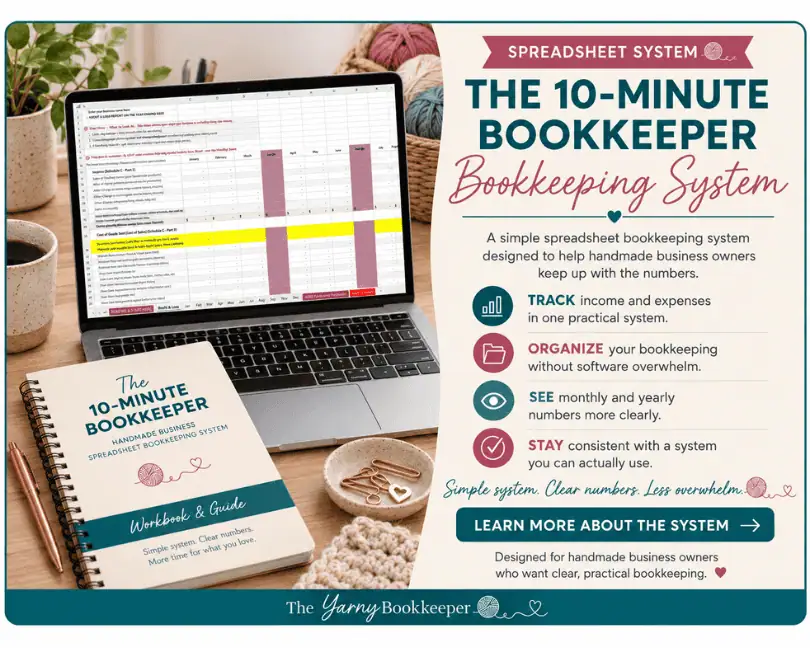
The 10-Minute Bookkeeper is my spreadsheet bookkeeping system for makers who want a practical way to keep up with their books without learning full-blown accounting software.
It includes monthly bookkeeping sheets, Profit & Loss reports, a yearly summary, plus materials and finished-item inventory workbooks.

If you'd rather be working with yarn, fabric, paint, or clay than trying to figure out what the heck is going on with your business money, you're in the right place.
I help makers understand what’s happening with their money—and what those numbers actually mean for their business. Because handmade business bookkeeping goes beyond simply tracking what came in and what went out.
You don’t need to become a bookkeeper or run out and get an accounting degree. You just need to understand enough to make better decisions about your business without all the accountant-speak.
👉 Want help figuring out your bookkeeping (without overcomplicating it)? Join the Free Handmade Business Bookkeeping community.
I am a coach/educator, not your bookkeeper or CPA. This information is for educational purposes, not financial or tax advice.
Full Disclosure - How I use AI
I use AI to create some blog images because it does a much better job of producing maker-specific images than I can usually find after hours of searching.
The ideas, teaching, and writing in my blog posts are mine. I use AI as an editing partner to help me check clarity, rein in my tendency to get too wordy, and occasionally keep me from wandering off on a tangent.
- Is Profit Leaking Out of Your Handmade Business?Here’s Four Warning Signs - October 21, 2026
- Are Discounts Hurting Your Handmade Business? - October 16, 2026
- Free Bookkeeping Software for Handmade Businesses: What to Look For + Options to Consider - October 5, 2026
Thank you for this list. I’m curious though, I would be interested in knowing what program you use. Have you considered creating your own bookkeeping program?
Hi Hope,
Sorry for the delay, I’ve been out of town and would you believe I forgot my mouse! Without it I stagger around my laptop like a drunken sailor with only the touchpad!
Personally, I use the desktop version of QuickBooks Premier – but it’s become so expensive (close to $1,000.00 per year) that I just don’t feel right recommending it to most handmade business owners anymore.
If I were to switch, I would probably go with ZohoBooks & Zoho Inventory – because as a maker, I need a strong inventory piece.
If I didn’t need inventory, I would probably go with either Wave or ZohoBooks.
And no, I’ve never considered creating my own bookkeeping program – writing the code for software is not something I can do.
I tried to look at Slick Pie, they permanently closed in 2021. 🙁
Oh no Julie, I’m so sorry! I originally wrote this post in July 2020 and didn’t realize that they had gone out of business between now and then. If you have less than $50K in sales per year you might want to look into ZohoBooks.
Thanks. Great info!
Helen, you’re welcome!
This is a great list. I’ll be sharing it on Twitter. Very helpful!
Thanks Barb, I appreciate it.
What great sites, thanks for sharing them.
Thank you Martha 🙂
I think I would probably want to take a look at SlickPie since that is the one for people who have never done bookkeeping before. Neat that you compiled a list of free resources! Because that’s my budget right about now.
Wave can’t handle inventory.
Interesting list.
Inventory is clunky at best, I found this support article – https://support.waveapps.com/hc/en-us/articles/208623546-How-to-track-inventory-in-Wave